Showing posts with label Smart News. Show all posts

Monday, March 2, 2015

Samsung Galaxy S6 And S6 Edge First Impression

Following countless leaks and endless teasers, Samsung has officially announced the Galaxy S6 and S6 Edge smartphones. The pair of S6 phones succeed the Galaxy S5, Samsung's prior flagship announced one year ago, and will be available across the world starting on April 10th. All four major US carriers plus US Cellular have committed to carrying both the S6 and the S6 Edge, while smaller carriers such as Boost Mobile, Cricket Wireless, and MetroPCS will only offer the S6. The Galaxy S6 Edge will be priced higher than the standard S6, though Samsung isn’t saying exactly how much either one will be at this point.
The S5 was largely considered a misstep by Samsung: its advanced display and plentiful features were overshadowed by its plasticky build and ho-hum design, and during the course of 2014, Samsung's smartphone profits fell dramatically as a result. Clearly Samsung does not want a repeat of the Galaxy S5 and 2014.
So consider the S6 phones complete reboots of Samsung's top-end Galaxy, a back to the drawing board approach that has resulted in the most visually stunning devices Samsung has ever produced. Where the 2014 S5 looked almost identical to 2013's S4, the S6 and S6 Edge have all-new designs that look and feel significantly different than the older Galaxy devices.


Samsung is essentially splitting its flagship model into two distinct, but very similar designs. The Galaxy S6 has a flat display, metal frame, and glass front and back panels. Its counterpart, the S6 Edge, has all of the above, but throws in a curve to the sides of its front and rear glass, giving it a distinctive character. The curved glass is similar to the curved display and glass Samsung utilized on the Note Edge, but it’s not as aggressive and is found on both sides of the phone instead of just the right. Needless to say, the S6 Edge is the far more interesting looking and feeling phone of the pair.
Both of the new phones are made entirely of metal and glass: the cheesy and cheap-feeling plastics that have dominated Samsung’s products for years are no where to be found. This change can’t be overstated: Samsung finally has made flagship products that look and feel like they are worth the premium price tag they command. The flat S6 will be available in white black, gold, and blue, while the S6 Edge can be hand in white, black, gold, and green.
Samsung’s lead designer on the project says the company spared no expense when it came to materials that they could use in the new phones. The front and rear glass panels are Gorilla Glass 4, and the metal frame is significantly nicer than the plastic used on Samsung’s prior phones (and even the metal frame used in the Note 4 and others released late last year). With Samsung competing in the high-end market against Apple and HTC, both of which use premium materials in their devices, it’s important that Samsung shows it can hang. For the most part, the Galaxy S6 and S6 Edge do.
 
 
Samsung didn’t just focus on design for the new phones either. In typical Samsung fashion, the Galaxy S6 phones are packed with the latest technology: an octacore Samsung Exynos processor (for the international version, Samsung would not confirm what processor the US models will use); 5.1-inch QHD Super AMOLED displays; 3GB of RAM; 32, 64, or 128GB of internal storage; 16-megapixel cameras with optical image stabilization; a new fingerprint sensor in the home button that no longer requires a swipe; an infrared heart-rate monitor that Samsung says also helps the camera obtain accurate white balance; integrated support for both Qi and PMA wireless charging; fast USB charging that’s 1.5 times faster than the Galaxy S5; a speaker that’s 1.5 times louder than the S5’s; and integrated support for Samsung Pay, which uses either NFC or MFT (LoopPay) technology for transactions.


But while Samsung certainly improved upon the Galaxy S5’s design in dramatic ways and upgraded the phone’s technology at the same time with the S6, it didn’t come without cost. Hallmarks of Samsung’s phones, such as removable batteries, microSD card slots, and waterproofing are nowhere to be found on the S6 or S6 Edge. That will likely upset some die-hard users and Samsung loyalists that relied on those features, but it’s clear that Samsung prioritized the phone’s design and its look and feel over things that appeal to a smaller segment of its customer base. Samsung also trimmed back the software features, claiming that there are 40 percent fewer features in the Galaxy S6 than the S5. Overall, the software feels largely the same as before, however. (It's based on Android 5.0 Lollipop.)


  It’s easy to see where Samsung took its inspiration for the Galaxy S6 and S6 Edge: the design is strikingly similar to the iPhone 6 in many places, and the features that Samsung did focus its efforts on are all things the iPhone has had for years. Look at the S6 from certain angles and you’d immediately think it’s an iPhone. Put your thumb on the home key and the phone unlocks almost instantly, just like an iPhone. Even the camera mount protrudes out from the rear of the phone, preventing the S6 from lying flat on a table, just like an iPhone 6. (The flat S6 looks like the lovechild of an iPhone 4 and an iPhone 6, while the S6 Edge is a little more distinctive.) Samsung has be known to copy Apple’s design before, which led to record sales and record-breaking lawsuits. It’s hard to say if the Galaxy S6 will bring about any lawsuits, but the similarities between it and the iPhone 6 are undeniable.


Of the two, I’m particularly drawn to the S6 Edge. While the standard S6 has a very generic design that could have come from any number of phone makers out of China, the Edge’s curved sides look cool and make it easier to swipe across the screen. The curves aren’t overly dramatic and the symmetrical design is far better than the Note Edge’s side panel. Also unlike the Note Edge, Samsung isn’t really using the curved sides to display specific information. It still has the bedside clock feature (activated by swiping back and forth on the curved part of the screen), but the news tickers, app launcher, and notifications panel are gone.
Design considerations and copycat accusations aside, the Galaxy S6 and S6 Edge are sure to be great phones in their own rights. Samsung made them 2mm narrower than the S5, which doesn’t sound like much but does wonders for one-handed maneuverability. In my brief time with the two phones, performance was quick and snappy and it was easy to access all of the phone’s features with just my thumb, something I haven‘t been able to say for Samsung’s earlier devices.
Perhaps most impressive is the new camera. Samsung says it has listened to criticisms levied against its past cameras and has improved the S6’s camera to address them. It’s exceptionally quick, can be launched from anywhere with an easy double-tap on the home key (Samsung says it starts up in 0.7 seconds, and I have no reason to dispute that claim), and takes sharp, well-exposed photos. It also has automating focus tracking for moving subjects, a first for a mobile device. And Samsung claims that the infrared sensor on the back of the phone used to measure your heart rate can also pulls double duty to improve white balance quality when taking photos. I have a feeling it will see far more usage assisting the camera than it will measuring heart rates when the S6 hits stores. Most of those claims will need further scrutiny once we have a review unit of the Galaxy S6 to test, but my first impressions with the camera are really good.


The Galaxy S6 and S6 Edge both support Samsung’s new mobile payments program, called Samsung Pay. It uses technology Samsung acquired through its LoopPay purchase to let you make purchases at any retailer that has a standard credit card swiper. It also works with NFC tap-to-pay systems and is authenticated with the fingerprint sensor in the phone’s home button. Between the two systems, Samsung says it will be accepted at 90 percent of retailers. Samsung Pay will work with both MasterCard and Visa, as well as American Express, Bank of America, Citi, JPMorgan Chase, and U.S. Bank. It’s very obviously Samsung’s answer to Apple Pay, but it won’t be available until later this summer, a few months after the Galaxy S6 and S6 Edge hit store shelves.
Samsung is also announcing a version of the Gear VR that will work with both the S6 and S6 Edge. It’s 15-percent smaller than the Gear VR for the Note 4, and it has improvements such as USB charging. Samsung is still calling it an "Innovator Edition", which means it’s not really designed to be used by everyday consumers. (Presumably, consumers will still be able to buy it pretty easily, however, just like the Gear VR for the Note 4.) I wasn’t able to test the S6’s Gear VR, so we’ll have to wait and see if it’s an improvement over the older model.

With sales falling and profits going down along with them, Samsung needed to do something much bigger and better this year than it did with the S5 last year. For most intents and purposes, the S6 and S6 Edge are just that: they are dramatically nicer and better phones than Samsung has ever produced. But it’s hard not to say that this is the phone the S5 should have been a year ago, and Samsung is still going to be playing catch up with Apple. The S6 and S6 Edge are certainly great phones, with solid performance and finally a design that Samsung can be proud of. Whether or not that’s enough to put Samsung back on top remains to be seen.


Source Link

For More Details, Stay Tuned !!


Tuesday, February 10, 2015

Samsung Galaxy J1 (SM-J100H)

We haven’t seen an official announcement of the Galaxy J1 yet, but the first device in Samsung’s Galaxy J series recently went live in the Malaysian market. Now, the Galaxy J1 is making its way to India – Amazon India has revealed that the J1 will be going up for sale in the country on February 11, for a price of Rs. 7,190 (roughly $115). Amazon will be including some unmentioned offers along with the phone, though it will reportedly be an exclusive seller only for a limited time.
The Galaxy J1 isn’t the most impressive handset that can be bought for that price in India, though it should still attract enough attention given it’s not too underpowered. The J1 features a 4.3-inch WVGA display, 1.2GHz dual-core processor, a 5-megapixel rear camera, 2-megapixel front-facing camera, 4GB of expandable internal storage, a 1,850mAh battery, dual SIM support, and Android 4.4 KitKat with features like Ultra Power Saving Mode. There’s only 512MB of RAM on the phone, though according to Amazon, the 4G variant will have 768MB of RAM, in addition to a quad-core processor as was revealed earlier this month.
The Galaxy J1 is more or less a smartphone aimed at those looking for a device that can take good selfies without breaking the bank, or at least that is what Amazon’s listing suggests. Do let us know if you’re planning on buying the Galaxy J1 when it launches in India, and whether you think that price tag is worthy of what is on offer.


For more updates, stay tuned !!

Tuesday, February 3, 2015

EXCLUSIVE: The Samsung Galaxy S6 will be available in these four colours

Samsung has recently sent out press invites for the Galaxy Unpacked 2015 event, where it is expected to unveil its next-generation flagship Android smartphone, the Galaxy S6 (and possibly its curved screen variant). The launch event teaser image points towards a curved screen on the Galaxy S6, though no one really has correct information about the design of the device. However, we now have information about the color options that Samsung will offer to the buyers of the Galaxy S6. According to our insider, the Galaxy S6 and its curved screen variant will be offered in four colors: dark blue (similar to the Galaxy A series), blue-green, gold, and white.
Out of the four colors, blue green is something we’ve not seen on existing Samsung handsets, while the dark blue color will be similar to the one on the Galaxy A5 (which looks extremely premium with a mix of dark blue and black colors on the back and front). Gold and white are pretty much standard fare for current Galaxy flagships. For anyone hoping Samsung would start offering more funky colors, it’s clear the company is not obliging, but as long as the S6 is as awesome as we’re expecting it to be, that shouldn’t be a noticeable issue.
After a series of leaks and rumours, it is largely understood that the Galaxy S6 will feature a 5.0-inch or a 5.2-inch QHD Super AMOLED display, Exynos 7420 SoC with a 64-bit octa-core CPU, Mali-T760MP6 GPU, 3GB or 4GB RAM, 32GB ROM, a 16-megapixel or a 20-megapixel primary camera, 5-megapixel front-facing camera, and LTE Cat. 10 connectivity. It will also come with a touch-based fingerprint sensor, and have an Edge screen variant that could possibly have a display that curves on two sides.


For more updates, stay tuned !!

Saturday, January 31, 2015

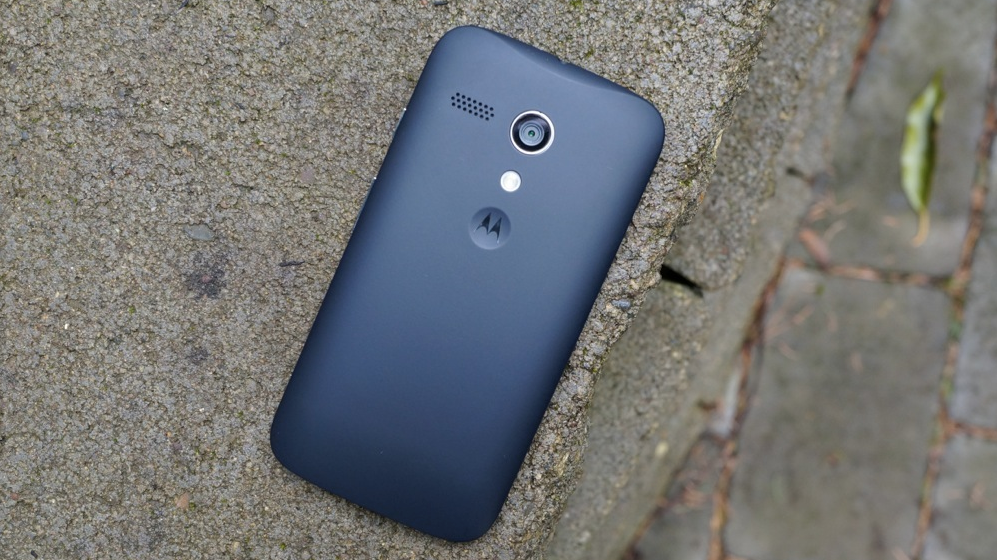
Moto G (2014) with LTE goes up for sale in Brazil

After first rearing its head roughly a month ago, the new LTE version of Motorola's second generation Moto G is now available for sale in Brazil.
Going for R$899 ($355 USD), the device is quite a bit pricier than the $179 price tag of the standard Moto G. However, this one is a little different in that it packs a slightly larger 2390mAh battery and 16GB of storage, as opposed to the original Moto G's 2070mAh battery and 8GB of storage.
For your money, you'll also pick up LTE capability, albeit limited to just one band — clearly making this a device that is intended for Brazil, and Brazil only. Additionally, the box for the device comes pre-packed with both black and yellow shells, so at least you'll save a slight bit of money there.
If you live in Brazil and want to give the LTE capable Moto G a shot, feel free to hit up that source link below to snag one for yourself.


For more details, stay tuned !!

Samsung Galaxy S4 Android 5.0 Lollipop update is now live in Russia

Just a couple of days after the Galaxy Note 3 got its Android 5.0 Lollipop update in Russia, now Russian owners of the Galaxy S4 (model number GT-I9500) can also get rid of KitKat and install the new OS instead - thanks to an official update provided by Samsung.

The Android Lollipop (5.0.1) update weighs in at a hefty 1049 MB, and will bring a lot of novelties to Samsung's flagship from 2013 - which, by the way, ran Android 4.2 Jelly Bean at launch. A Material Design makeover is one of the first new things that users will notice. The update is being sent over the air, and, for now, it doesn't appear to be available via Samsung Kies.

Sure enough, we already knew that the Galaxy S4 would get its Lollipop update at about this time, but we didn't expect this to happen in Russia first.

In any case, Samsung Galaxy S4 users in other countries can certainly hope that their device will soon receive the update as well - although, as always, the exact timing depends on market and carriers. We're really looking forward to seeing when Lollipop for the US variants of the S4 will arrive - and we'll let you know as soon as we find out anything about this. 


For more updates, stay tuned !!

Friday, January 30, 2015

Android 5.0 Lollipop now rolling out to some HTC One M8 phones in Canada

Owners of the HTC One M8 in Canada might want to check their devices. The company announced today that an over-the-air download for the smartphone that will update it to Android 5.0 Lollipop has begun for Bell, SaskTel, and WIND Mobile customers.
Mobile Syrup adds that, according to HTC Canada, Lollipop will start rolling out for the HTC One M8 on Monday, Feb. 2 for Rogers and TELUS customers. It's already begun that process in Europe and the developer and unlocked editions received the update earlier this month.


For more details, stay tuned !!

Windows 10: a closer look at the future of Microsoft's vision for PCs

Microsoft's latest Windows 10 preview offers up a good look at what the company is planning for the future of laptops and PCs. While Windows 8 was never received well by consumers or businesses, Windows 10 aims to make things a lot more familiar. We saw the new Start Menu when Microsoft released its first Windows 10 preview back in October, but things are changing rapidly. There's more built-in apps, user interface changes, and a whole new touch mode designed for 2-in-1 laptops and tablets.
Windows 10 is still a work in progress, but Microsoft is soliciting feedback and changing parts of its operating system before it ships later this year. While the company demonstrated a number of new features and apps during its Windows 10 event last week, not everything is in preview straight away. A number of new apps will debut in the coming months, and Microsoft plans to more rapidly roll out new builds of Windows 10 to testers.
Until then, let's take a look at what's new in the second major Windows 10 preview.

A new Start Menu for a new Windows

The look and feel of Windows 10 might be the key to its success or failure. With Windows 8, Microsoft swayed too far to adapting its operating system for tablets. It resulted in software that has largely confused the masses, but Microsoft is clearly fixing those mistakes in early preview versions of Windows 10. It’s still very much a work in progress, but the most noticeable addition is the return of the Start Menu. In the latest Windows 10 preview it’s clear to see what direction Microsoft is taking. Windows 10’s Start Menu mixes legacy desktop applications with the new modern Windows 8 apps by surfacing Live Tiles. You can turn them off if they’re or annoying, or keep them around if you want to quickly glance at the weather, news, or various other information.
While previous previews allowed you to resize the Start Menu freely, Microsoft has added a fullscreen option now which lets you expand the menu to make it look similar to the Start Screen found in Windows 8. The big difference is the presence of the taskbar at all times, which is a welcome improvement to enhance navigation between apps. There are some subtle changes elsewhere that help with app switching. In the past Microsoft has used a flip 3D feature to present a visual view of all applications currently running on a system, and the company is bringing it back, kind of. Swiping in from the left on a large tablet or a 2-in-1 will activate the new apps view, and it’s easy to use a mouse and keyboard or touch to select the app you want. In Windows 8 you had to navigate into the corners and activate a side menu with a mouse, and it was a rather irritating experience the more you used it.
Those navigation changes extend to the Charms menu in the latest Windows 10 preview. It is gone and has been replaced by a notification center if you swipe from the right. Mousing into the corners on the right does nothing, but you can access the notification center (or Action Center as Microsoft calls it) from the system tray in the lower-right. It’s a bizarre change right now and lacks convenient access to settings like Wi-Fi or display brightness for laptops and tablets. Microsoft is balancing that with quick toggles for settings, but it feels like this particular area of Windows 10 needs some big improvements and is a very early form of what will eventually ship. Either way, the removal of the awkward Charms menu is an improvement, providing its replacement is tweaked heavily to keep some of the convenience of accessing settings and features like broadcasting via Miracast or DLNA.

Design changes hint at the future of Windows 10

Microsoft’s design tweaks in Windows 10 and its built-in apps signal the direction of how this operating system will eventually ship. There’s lots of changes in the latest Windows 10 preview, and it appears that even Microsoft isn’t sure on exactly how Windows 10 will look in its final form. Some built-in apps have a hamburger menu, while the new beta version of the Windows Store has a mysterious back button for navigation. Microsoft is clearly testing the feedback on both, but it’s likely that the hamburger menu method will win out to help app developers easily port their apps from Android and iOS and adapt them for larger displays and form factors.
There’s even some transparency coming to Windows 10. While Windows Vista first introduced Microsoft’s Aero glass interface with see-through windows and a transparent taskbar, Windows 10 appears to be returning to parts of that interface. Microsoft’s official press images for Windows 10 include screenshots of a transparent Windows 10 Start Menu, and Xbox chief Phil Spencer briefly showed the changes in a future build of the OS on stage at a press event last week. The transparent menu isn’t available in this current build — unless someone discovers a way to enable it — but we’re expecting to see it debut in later previews.
Similarly, there’s also a new login screen that you can enable from the registry, round profile pictures, and even an improved calendar and clock for the taskbar that’s also available from a registry tweak. Icons have also been tweaked and look a lot more modern, and perhaps a little too colorful at times. Microsoft is also finally combining the control panel and separate settings app into a single app that looks a lot easier to use. The control panel still exists, but Microsoft is clearly pushing people to use the settings app as a replacement.

Apps, apps, and more apps

Apps are the all-important feature of any modern operating system, and the latest preview of Windows 10 doesn’t disappoint. While Microsoft is developing a new universal Outlook mail app for phone, tablets, and PCs running Windows 10, that app isn’t ready for preview just yet. Instead, there’s a new Maps application and a touch-friendly version of OneNote. The OneNote addition gives us the first look at how touch versions of Word, Excel, and PowerPoint will work. It’s all very similar to the iPad version of Office, with a collapsable ribbon and formatting controls that work well with a mouse and keyboard or touch. This looks like a good example of how to build the perfect Windows 10 app. It’s fast, responsive, and resizes well to be a fullscreen app or one that’s windowed, which is something other apps lack right now during the preview.
Getting developers to rework existing Windows 8 apps for Windows 10 might be a challenge. Some apps I tried were clearly designed to run fullscreen and not in a windowed mode, and one even asked me to "unsnap" the app before it would work, which meant running it fullscreen only. Given the lack of developer enthusiasm for Windows 8, this could leave some apps not optimized for Windows 10. However, the fact you can resize apps freely now may convince developers to adopt Microsoft’s new modern apps as an alternative to the aging legacy desktop apps.

Microsoft is also previewing its new Xbox app as part of this new Windows 10 build. While SmartGlass exists to interact with Xbox Live and Xbox consoles, this new Xbox app feels a lot more geared toward gamers. In future preview versions and the final app, you’ll be able to stream Xbox One games from a console to a Windows 10 laptop, tablet, or PC and control them using an Xbox One controller connected via a micro USB cable. That’s a pretty powerful feature on its own, but Microsoft is also adding in game DVR capabilities to capture clips from PC games and the ability to chat over Xbox Live. I’ve found the app is particularly useful if you’re trying to matchmake in games like Destiny, as it’s quick to search for gamertags and message players. There’s even an option to invite someone to a party, although that’s not fully functional yet. This Xbox app feels like the star of the Windows 10 show, and it’s a must for Xbox One fans.
Interestingly, Microsoft is replacing calc.exe (the traditional Windows calculator) with a modern calculator. This cements Microsoft's vision of universal apps as a replacement for desktop-only apps, but it also hints that the company may do this to other system utilities. Perhaps a modern version of MS Paint is on the cards, or even a fresh update to Solitaire. Notepad could also do with some modern love, but it still exists in its usual form right now.

Cortana also makes an appearance in this preview version of Windows 10. The digital assistant sits on the taskbar as part of a search box, but dynamically changes into the Cortana icon based on the number of apps that are open on a system (to make way for more taskbar space). As you’d expect, Cortana works almost identically to its Windows Phone variant. You can ask the same questions or set reminders, and there’s even a "Hey Cortana" option to trigger the assistant and search at any time. I was skeptical of having Cortana on PC, but I’ve found myself using the "Hey Cortana" option a few times to search when I’m not seated directly in front of my laptop and want some quick information like the weather or news. In future builds, Cortana will be closely integrated into the upcoming Spartan browser, a replacement for Internet Explorer.

Tablets and Continuum

We’ve looked at how Windows 10 runs on 8-inch tablets, and it’s very similar to how it works on a desktop PC, but there’s a key "touch mode" in this latest preview that activates some interesting changes. For 2-in-1 laptops and tablets with removable keyboards, Microsoft is calling this feature "Continuum." It’s all based on the idea that you can disconnect a keyboard or flip over your laptop screen to turn it into a tablet, and the user interface adapts to be a lot more touch-friendly. There’s a notification that triggers when you disconnect the keyboard on a Surface Pro 3 asking you to enter touch mode. You can dismiss it or click it to enable the mode, and all apps are immediately maximized (for traditional apps) or fullscreen (for modern apps). The usual snapping from Windows 8 is still here, and you can organize apps alongside each other.
I like some aspects of this mode, but, like some other parts of Windows 10, it’s still a work in progress. Exiting out of the mode makes apps windowed, and you often lose the position of your desktop apps. On my laptop I often use apps maximized, but occasionally I’ll float some around and bunch them up. To lose that carefully constructed arrangement is annoying, and Microsoft will have to find a compromise that works better. Either way, it’s a good approach, and there’s even a new fullscreen toggle on the top part of modern apps that makes the taskbar disappear and makes an app truly fullscreen. The implementation feels a little early, but it’s encouraging to see Microsoft adopt fullscreen controls that are easy to understand and activate.

The future

Future preview versions of Windows 10 should demonstrate an even clearer path towards the final version of Microsoft’s new operating system. An improved Xbox app is on the way, alongside preview versions of Office apps and Microsoft's upcoming Spartan browser. All these additions should give us a better look at how Windows 10 will work once it ships later this year.
Microsoft is clearly incorporating feedback at every opportunity, and we suspect there will still be some significant design tweaks and changes that make Windows 10 feel a lot more complete. Microsoft appears to have finally got things right here, and Windows 10 makes a lot more sense to those who are used to the days of Windows XP and Windows 7. It’s more familiar and modern, with a focus on improving the ways people actually use Windows today. We’ll keep a close eye on Microsoft’s progress to shipping Windows 10 later this year, so stay tuned to The Verge for continued Windows 10 coverage in the coming months.

Google's Nexus Player to be available in Japan by the end of February

It looks like the Nexus Player is beginning its exploration of the wide, wide world. Google announced today that the Android TV device will be coming to Japan at the end of February for 12,800 yen (about $108).

Google revealed the expansion in a blog post today, noting that this is the first time that the Nexus Player is being sold outside of North America. It also says that, upon release, it will have content available specifically for its Japanese customers:
In time with the launch, we'll also have apps for Japanese content available in Japan, including Video Market, Hot Pepper Beauty, Ryori Sapuri and Hulu's offering in Japan. And with classic games like "Final Fantasy III" and "Soul Calibur" available, Android gaming can be taken to whole new dimension.
Hopefully this signals the start of wider availability around the world for Google's own Android TV offering.


For further details, stay tuned !!

Samsung UK giving free Montblanc pens with Galaxy Note 4

For a limited time folks living in the UK who are about to purchase a Galaxy Note 4 can take advantage of a new promotion that Samsung has announced. You might remember that back at IFA in September 2014 the company announced its partnership with luxury brand Montblanc. Several pens were unveiled at the event that work as a stylus for this device. Under this promotion it is offering a complimentary Montblanc pen with every purchase of a Galaxy Note 4. Customers will have to purchase the device from Samsung UK’s website.
Samsung doesn’t point out exactly which model of the Montblanc pen will be provided to these customers.
Customers who purchase a Galaxy Note 4 from Samsung UK have to use the coupon code “NOTE4MB” at checkout to get their free Montblanc pen. The promotion is valid until 23:59 pm on 31st January 2015.
There is a caveat. Pens will only be provided to the first 150 customers.


For more details, stay tuned !!

Google confirms Nexus 6 supply constraints

It's hardly been a secret that the Motorola-manufactured Nexus 6 has been a hard phone to get ahold of since its release. It's been MIA for many moon on Google Play, and the 64-gigabyte model is pretty much a White Whale. Today on its Q4 earnings call, Google Chief Financial Officer Patrick Pichette confirmed the scarcity.
"We also faced a few real challenges as well" for the quarter, Pichette said. "While the Nexus 6 was very well received as a new phone, we had real issues and were unable to secure sufficient inventory to meet the demand that we had forecasted." [Ed note: Pichette mistakenly said "Nexus 7" on the call and clarified things at the start of the Q&A.]
So it wasn't just you. The Nexus 6 is a rare bird.


For more updates, stay tuned !!

Chromecast is now the No. 1 streaming device in the U.S.

Today in the earnings call coinciding with its Q4 2014 release, Google CBO Omid Kordestani let us in on a few metrics of the Chromecast's success. The $35 (or less) streaming stick has been available for over a year and a half now, and just crossed the milestone of users tapping the "cast" button a full one billion times as of last week. Further, Chromecast usage per device has increased by 60 percent since launch — not surprising considering the number of apps that now support Google Cast.
Kordestani also shared numbers from analyst group NPD, which determined that the Chromecast was the No. 1 selling streaming device in the U.S. in 2014. With numbers like those you can see why Google is so excited about the Chromecast, and that surely has some kind of influence on the boost in Google Play sales in the past quarter.


For further details, stay tuned !!

This is the Samsung Galaxy S6, according to case maker Spigen

Well-known accessory maker Spigen just revealed four of its cases that are specifically made for Samsung's upcoming and unannounced Galaxy S6. All four cases are currently listed on Amazon, and include what could be the S6 itself inside. Of course, since the handset is encased in Spigen's products, we can't take a proper look at it, but we can clearly see its rear camera next to an LED flash and a heart rate sensor, plus its front side - including a home button, and various sensors above the display.

The smartphone showed by Spigen kind of matches the images of the Galaxy S6 that we showed you earlier today, and yesterday.

We have to mention that Spigen previously revealed the designs of other unannounced (at the time) handsets, including the LG G3, the HTC One (M8), and the Google Nexus 5. With that in mind, we may very well have the real Galaxy S6 hidden here. At the same time, we can't be sure of anything just yet.

Samsung is expected to officially announce the Galaxy S6, as well as the Galaxy S Edge in early March. Both smartphones should be powered by octa-core Exynos 7420 processors (with no Snapdragon 810 variants in sight), sporting Quad HD displays. It's said that the screen of the S Edge will be curved on both sides. Well, we're definitely looking forward to seeing what Samsung has in store for us. Are you?


For more updates, stay tuned !!

Microsoft reportedly invests in Cyanogen Inc.

The Wall Street Journal today on its Digits blog dropped word that Microsoft is "putting money into Cyanogen." No dollar amount figures were listed by the Journal's anonymous sources, thought it is noted that Microsoft "would be a minority investor in a roughly $70 million round of equity financing."
This, of course, means that Google is doomed and Android as we know it is over. The Internet said so shortly after the rumor broke.
Except that's not what it means at all.

Fact is, none of us really knows what Microsoft might be investing in Cyanogen for.
Never mind the talk of the 50 million CyanogenMod users. Or 9,000 volunteer developers. That's rhetoric and a good bit of fuzzy math (and, editorially speaking, a whole lot of padding out a little bit of news), especially when you consider just how many Android devices are out there in the world. (Something like 1 billion alone in 2014, to say nothing of the boom years before it.) And never mind that (excellently worded and predictably misused) "we're attempting to take Android away from Google" quote from Cyanogen CEO Kirt McMaster that opened his Q&A with The Information. (paywall)
Android truly is becoming a commodity. And the future is all about services. Google's gotten it right. Or, more correctly, it's gotten a lot of things right as it continues to build out new services. (And it's not like Google's ceased development.) Other companies either have their own services — say, Amazon and its Prime Instant Video — or license other services, such as maps. Microsoft half-heartedly attempted to do the same thing with Nokia X in emerging markets in 2014 — Android underneath, and Microsoft services on top.
And Bloomberg chimed in as well with its own anonymous source with more of the same, saying this investment is "about creating a version of the Android mobile-operating system that's more friendly to Microsoft services."
So what do we know now? Not a whole hell of a lot. A few anonymous sources saying Microsoft's giving Cyanogen (the company) some funding. At this point, it'd be damned near silly to not invest in Android somehow, in some way.


For more updates, stay tuned !!

Nokia steps up the game of its Android launcher

Remember Nokia's Z Launcher, which recently launched as an open beta on Google Play and graces the interface of the Nokia N1 tablet? The streamlined launcher was among the more innovative that we've seen of recent - all in all, you get a single home screen with a clock widget, a short list of your recently-used apps, and a regular dock at the bottom of the screen. The main selling point of this home screen replacement is that you can search through your apps by writing their names directly on your home screen.

At first, the contextual app was devoid of any customization features whatsoever, but this doesn't seem to be an issue anymore - the latest update for Z Launcher brought icon pack support, one of the fundamental customization aspects of all most popular Android launchers. But changing the icon pack is not the sole new functionality - Nokia has also improved the long-press functionality, which now allows you to uninstall or hide an app more easily. Here follows the full changelog: 

  • Preliminary support for icon packs
  •  Long press on text - you can uninstall or hide app app from the ranked list, in addition to existing long-press behavior such as long-pressing the icon to drag it to the favorites bar
  •  UI improvements for a wide range of Android devices
  • Improved design and performance of carousel widgets
  • Improved Scribble handwriting recognition
  • Play store icon will load Play store without pre-searched text (We heard you on this one!)
  • Bug fixes
For more updates, stay tuned !!


Thursday, January 29, 2015

Android Version of Word, Excel and PowerPoint now available

Microsoft launched Office for Android tablets in preview form earlier this month, and now the Redmond giant has launched the final version of these apps on the Play Store. Finished versions of Word, Excel and PowerPoint are now available for download on your Android tablet.
The system requirements for running the tablet-focused versions of Office remain unchanged from the preview. You'll need a tablet with screen size of 7 to 10.1 inches (which rules out tablets like the Galaxy Tab S10.5), greater than 1GB RAM as well as an ARM CPU. Microsoft has mentioned that the apps are not yet optimized for Lollipop, and that support for the latest version of the OS will be improved in future updates.
While basic document creation and editing is free (once you sing in to your Microsoft account), you'll need an Office 365 subscription to unlock advanced functionality. Get the apps from the links below:


For further updates, stay tuned !!

Microsoft releases Outlook Preview for Android

Microsoft has released a preview of its Outlook app for Android, completing the full Office experience on Google's mobile OS. While this new app is in the testing stage, it's a fully featured email client worth downloading if you use the desktop version and enjoy utilizing Microsoft Office products. It's a solid app that not only lets you tap into the world of Outlook and Office 365, but also connect to Gmail and other supported accounts.
Available as a free download for both smartphone and tablet owners, the new Outlook Preview for Android offers a full email experience with calendar functionality. The requirement to switch between apps to manage both email and schedule appointments has now been eliminated, and everything can be achieved within Microsoft's latest app release. Here's a quick look at the newly released app (as well as the iOS version):

The new Outlook has a neat new feature, which se
parates your inbox into two sections – focused and other. Emails deemed important by the app are loaded into your focused tab, while remaining messages are accessible via the other tab. It's all automatic and moving email between the two tabs enables Outlook to learn which messages should be stored in the two sections.
Some other features offered by the new Outlook Preview:
  • Customizable swipe gestures for archiving and managing emails conveniently.
  • Schedule Email feature temporarily removes email from the inbox and returns affected messages at designated times.
  • Predictive search hunts down email, files and people.
  • Integration with calendars.
  • Built with Android design features in mind.
All available features are loaded and ready to go, regardless as to which supported mail service you're using. Are you interested in trying out Outlook for Android? Download the preview and provide Microsoft some feedback as to how you wish for the experience to be improved for initial public release.

You can get the App Here 


For more updates, stay tuned !!

Monday, January 26, 2015

The RM-1072 is a low-cost Lumia model

Because AdDuplex is a mobile ad network for Windows Phone apps, founder Alan Mendelevich is able to see certain model numbers of new Windows Phone handsets as they are being tested. He usually sends out tweets with information about these "mystery" models. One such model is the RM-1072. According to a report published on Sunday, this is going to be a low-cost alternative to the Nokia Lumia 830.

According to someone with knowledge of the device, the RM-1072 will feature a 5-inch screen with resolution of 720 x 1280. A quad-core Snapdragon 400 CPU will drive the phone and 8GB of native storage will be on board. Additional memory will be available through the phone's microSD slot. On the back of the handset will be an 8.7MP PureView camera while a .9MP snapper handles self-portraits. The unit will support dual SIM cards. The rest of the specs are supposed to match those of the Nokia Lumia 830, which means we should expect the phone to come with 1GB of RAM and a 2200mAh battery.

The RM-1072 is expected to cost $275, lock, stock and barrel. The model has already been certified in Indonesia along with the RM-1099 and the RM-1077, two other mystery Lumia phones that we hope to hear more about soon.


For more updates, stay tuned !

Saturday, January 24, 2015

Qualcomm to update the Snapdragon 810 CPU for Samsung

Reports that the new Snapdragon 810 chipset has been contending with heating problems has not stopped all .


LG was the first manufacturer to announce it would be using the new system-on-a-chip in the new LG G Flex 2. The company said it was able to work around the chip’s heat emissions. While that is arguably a good sign, it could also be seen as an acknowledgment that the Snapdragon 810 runs hotter than some would prefer.

The issue has been the source of reports that Samsung was forgoing use of the new Qualcomm chip, in favor of its own Exynos CPU for the next generation Galaxy flagship (presumably called the Galaxy S6). However, it looks like Qualcomm is working on a redesign to address the heat emission issue and should have a solution for Samsung by March.

It is not known if that will be in time for Samsung’s plans for manufacturing its new line of devices in 2015, but Qualcomm is undaunted since the Snapdragon 810 is obviously an integral part of the chipmaker’s strategy.

For its part, LG has stated that heat levels are not solely about the CPU, but how a device is also designed to dissipate that heat. The company noted that the G Flex 2 was designed with the Snapdragon 810 in mind, so heat levels have remained within what LG deems optimal.

There is some conjecture by analysts that Samsung may use this opportunity to provide wider distribution and use of its Exynos CPUs.
EMs from getting on board with the new octa-core 64-bit silicon.


For more details, stay tuned !!

Friday, January 23, 2015

Microsoft will give away FREE Windows 10 for ONE year

Microsoft is planning a big push for Windows 10 and will be giving away the new operating system to Windows 7, Windows 8.1, and Windows Phone 8 users in the first year of release.


"With Windows 10, we think of the oper
ating system as 'Windows as a service'," said Terry Myerson, Microsoft's VP of operating systems. "In next few years, you could think of Windows as one of the largest internet services on the planet. The question of 'what version are you running' will cease to make sense."
The upgrade will only be free in the first 12 months after release and will last for the "supported lifetime of the device." Microsoft said the new OS will run on PCs, tablets, phones, and a new device to be announced later today.
The result for developers will be a single platform to sell apps on. "Developers are always thinking of the next million sales. Now we can open them to the next billion," Myerson said.
This will involve "Universal Apps," Redmond's much-hyped concept of software that works equally well on the phone, tablet, and PC. The Office applications will be available as Universal Apps, and developers will be encouraged to do the same with their own code.
The idea is to have an operating system that can run on any device, so that when you put one device down you can pick up another Windows device that you are signed in on and carry on where you left off.
Control options will also be expanded. Myerson said users should be able to use "ink, voice, gestures, and gaze" – or a keyboard and mouse, presumably. Myerson said you should be able to print with a flick of the finger, and switch Skype calls to a new device with a gesture.
Cortana will be built into the operating system. The online digital assistant now has seven language options, as well as a "Yoda impersonation mode." The latter is still in beta, and sounds odd, but somewhat cute.
Besides answering questions, the Cortana agent can also search through your hard drive for data. The demo version could search for "photos taken in December," for example. It could also control the computer's media player and take dictation for emails and send them.
Security is also going to be a big feature of the new OS. Myerson claimed that Windows 10's new security features would have stopped a couple of the high-profile corporate hacking cases over the last year – although he didn't name names.
Since the September announcement of the Windows 10 Preview, 1.7 million people have signed up as beta testers and installed the OS on over three million devices, Myerson said, adding that over the next three to five months, more features will be added and refined.


For further updates, stay tuned !!

Huawei (Ascend) Mate 8

Released in September 2014, the Ascend Mate7 is one of Huawei's best mobile products ever, and one of the most interesting extra-large smartphones we've seen lately. Last month, we told you that Huawei may already have a successor to the Mate7. Now, a few more images that allegedly show this successor popped up somewhere in China.

While the images don't allow us to see the new device in all its glory, it seems that there aren't too many differences, design-wise, between it and the Mate7. It's said that Huawei will stop using the Ascend brand, so the upcoming device could be simply called Huawei Mate 8. Or, who knows, maybe the company intends to include the Mate 8 into its Honor series (which, by the way, will be officially introduced in the US later this year).

There's no info on what features the upcoming Mate will bring. However, seeing how Huawei chief Yu Chengdong recently dissed Quad HD displays, we can probably safely assume that the handset will have a 1080p screen.

The P8 and Honor 2X are two other Android devices that Huawei is reportedly getting ready to release soon. Perhaps all three Huawei handsets will be introduced at the same time? We'll just have to wait and see. 


For more details, stay tuned !!